

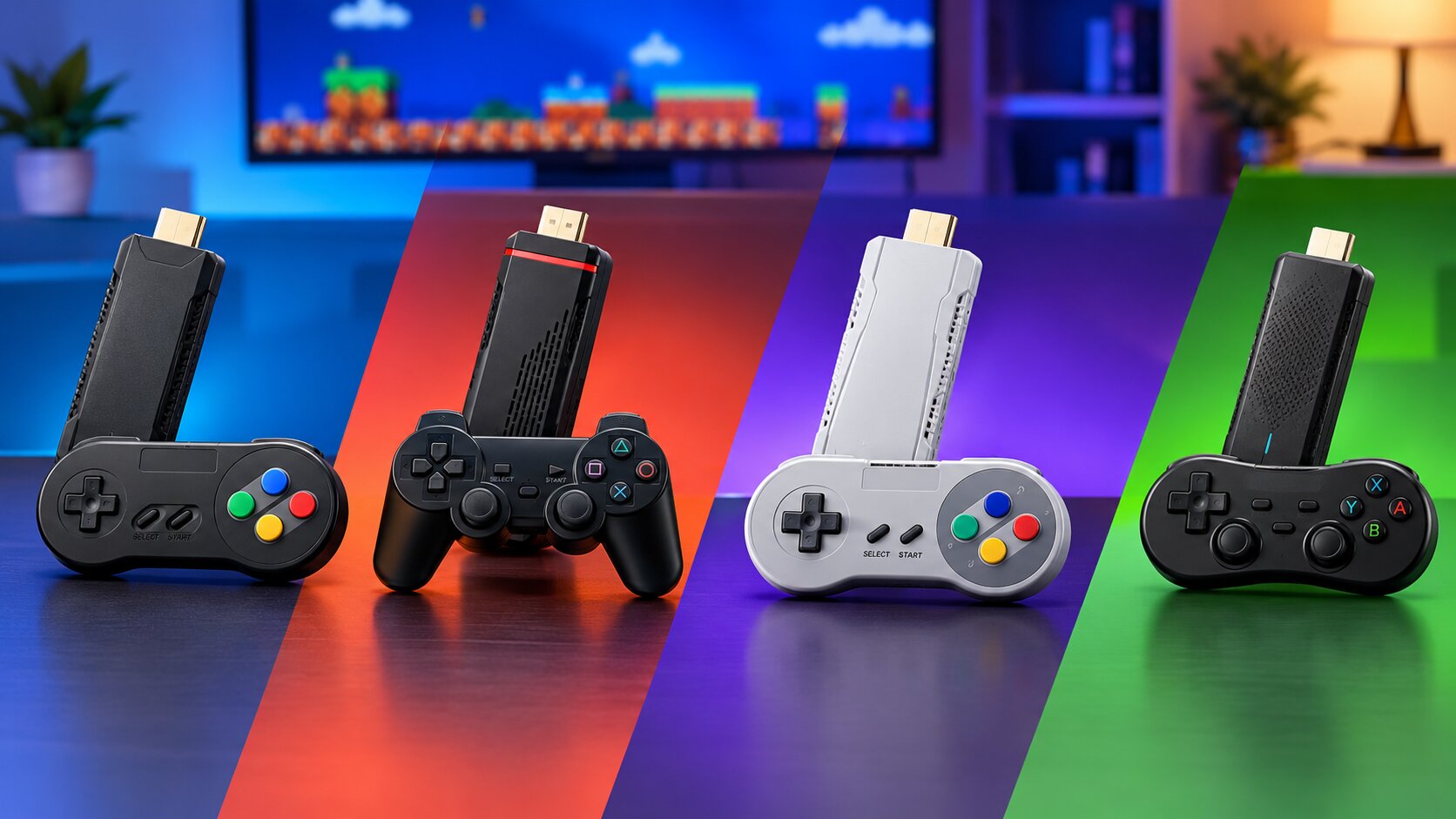
Remember sitting in front of the TV with a cousin, fighting over who gets player one in Contra or Tekken? A retro game stick brings that evening back without hunting for old consoles, cartridges or a working CRT. You plug a small box into the HDMI port, hand over two wireless controllers and the family is playing in under five minutes.
The trouble is that every box on the market says “30,000 games” and “4K”, and the model names (X6, M8 Pro, M66, GS5 Mini) tell you almost nothing. We stock and test all of them at Mobile Geeks in Lahore, so this guide explains what the numbers really mean and which retro game stick suits which kind of household.
The short answer: which retro game stick should you buy?
- Best all-rounder for families: the M66 Game Stick 4K. A big library, many emulators and two wireless controllers in the box.
- Best simple, low-cost pick: the M8 Pro. Plug in, press start, Tekken 3 is already loaded.
- Best looking on a TV shelf: the GS5 Mini, which is shaped like a small modern console.
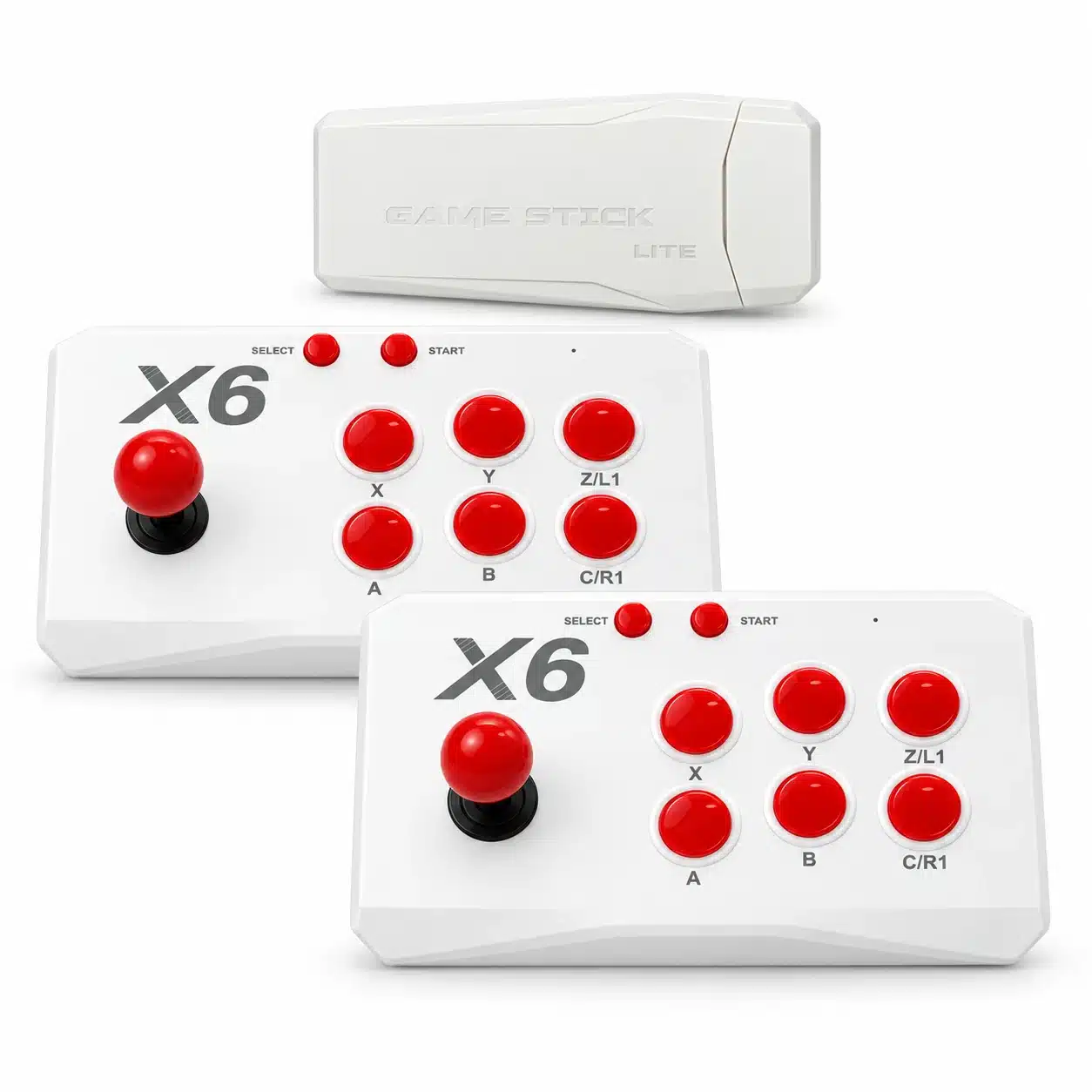
- Best for old arcade and PlayStation 1 fans (22,000+ games): the X6 Game Stick, which lists 12 emulated systems.
- Best if you want a bigger library at 1080p: the X2 Plus.
- If you want to play away from the TV: none of the sticks, get a handheld like the R36S handheld instead.
All of them play classic games from older consoles. None of them run modern PlayStation, Xbox or PC titles, and that is the first thing worth knowing before you spend a rupee.
In this guide
What a retro game stick actually is
A retro game stick is a small plug-in console that runs emulators, which are programs that imitate older machines. The games are stored on the built-in memory (usually 64GB), so there is no internet, no account and no subscription. It connects to your TV by HDMI, takes power from a USB port or a small adapter, and talks to two wireless controllers through a little USB receiver.
The typical systems covered are Atari, NES (Family Computer), Super Nintendo, Sega Mega Drive, Game Boy, Game Boy Advance, arcade (MAME) and PlayStation 1. Some sticks add Nintendo 64 and Nintendo DS, but those need more power and can stutter on cheaper chips. That is why a stick that looks the same as another can feel quite different in play.
What the numbers on the box really mean
“30,000 games” is a library size, not a promise of quality
Most of those thousands of titles are the same game in different regional versions, hacks and small variations. A realistic number of good games on any stick is a few hundred. What matters more is whether the menu lets you search or mark favourites, because scrolling through 20,000 names gets old quickly.
“4K” and “8K” describe the video signal, not the sharpness of the game
The stick can send a 4K signal to your TV, but a Super Nintendo game was made at roughly 256 x 224 pixels. It will not suddenly look like a modern title. On a large TV, a 1080p output often looks cleaner than a “4K” one because the games are scaled up less aggressively. Do not pay extra just for the 4K label.
Storage and emulators
64GB is the usual size, and it is plenty because retro games are tiny. The X6 listing says storage can be expanded up to 128GB. The number of emulators (52 on the M66, 53 or more on the GS5 Mini) tells you how many different old systems the stick can imitate, not how smooth each one runs.
Controllers and batteries
Two 2.4GHz wireless controllers come in every box we list here. They use batteries (AA or AAA depending on the set, so check the product page), so keep a spare pack at home. For the X6 we offer an optional AA battery pack at checkout so the controllers work the moment you open the box.
Side by side comparison
| Model | Games listed | Storage | Emulators / systems | Output | Best for |
|---|---|---|---|---|---|
| X6 Game Stick | 22,000+ | 64GB, expandable to 128GB | 12 systems incl. PS1, N64, NDS, MAME | HDMI (4K/8K signal) | Arcade and PS1 fans |
| M8 Pro | 20,000+ | 64GB | Classic consoles, Tekken 3 pre-loaded | HDMI | Simple plug-and-play |
| M66 Game Stick 4K | 30,000+ | 64GB | 52 emulators | 4K HDMI | Big families, variety |
| GS5 Mini | 30,000+ | 64GB | 53+ emulators | 4K HDMI | Looks and variety |
| M22 Game Stick | See product page | 64GB | Retro TV console | HDMI | Gift sets |
| X2 Plus | 40,000+ | See product page | Retro console | 1080p HDMI | Largest library |
Prices change with stock and offers, so we do not print them here. Open any product page for today’s price and delivery details. Everything above is available with cash on delivery across Pakistan.
X6 Game Stick: classic arcade and PlayStation 1
The X6 Game Stick is the one most of our customers ask about. It is a TV stick (not a handheld) that lists 12 emulated systems including arcade, PlayStation 1, Nintendo 64, Nintendo DS, Game Boy Advance, Mega Drive and Super Nintendo, plus two wireless controllers. If you grew up on arcade machines and PS1 classics, it covers the widest range of the sticks here.
Be realistic about the heavier systems. PS1 and arcade games run well, N64 and NDS titles are playable but not always smooth, and the menu is a long list rather than a polished interface. It comes with 22,000+ built-in games. Some other sellers quote 4K or 8K output and higher game counts for similar sticks, so we judge it on how it plays rather than on the box.
M8 Pro: the easy plug-and-play pick
The M8 Pro is the stick for people who just want to play. It has 64GB of storage, a library of more than 20,000 games, Tekken 3 pre-loaded and two wireless 2.4G controllers. There are fewer systems to confuse you, so the menu feels simpler, which suits kids and grandparents. If you want the lowest entry price, the M8 Lite is the lighter version.
Keep in mind the “4K” print on the box only describes the signal. Treat it as a very good 8-bit and 16-bit machine, and you will be happy with it.
M66 Game Stick 4K: more emulators, bigger library
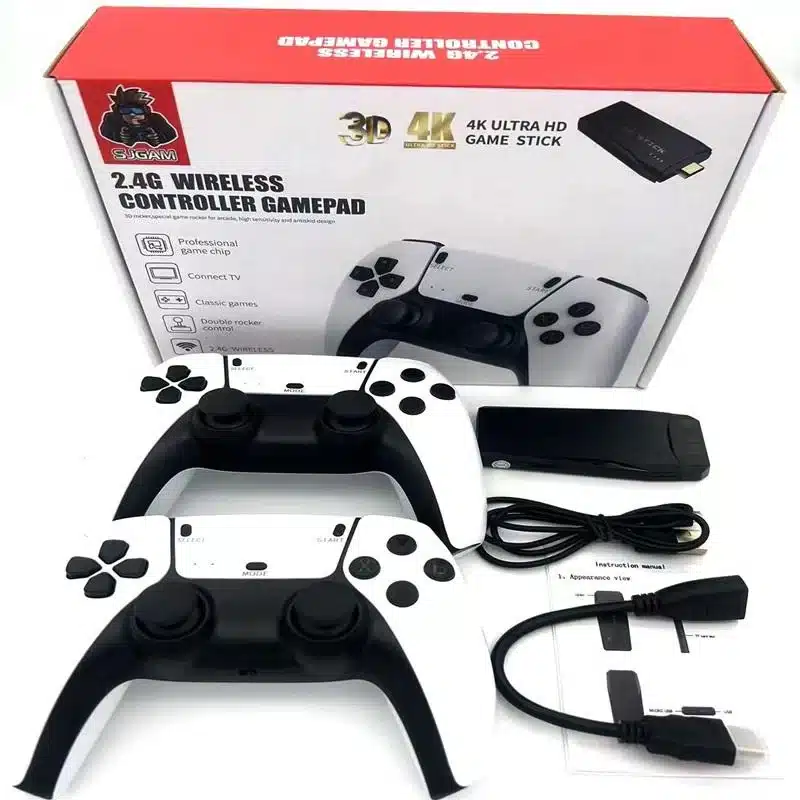
Think of the M66 Game Stick 4K as the M8 Pro’s bigger sibling. It lists 30,000+ games, 52 emulators and two wireless 2.4G controllers, and it connects to any HDMI TV. The wider emulator support gives you more variety, including some early 3D games. If the stick is shared by a family with different tastes, this is the one with the most to offer everyone.
GS5 Mini: the one that looks the part
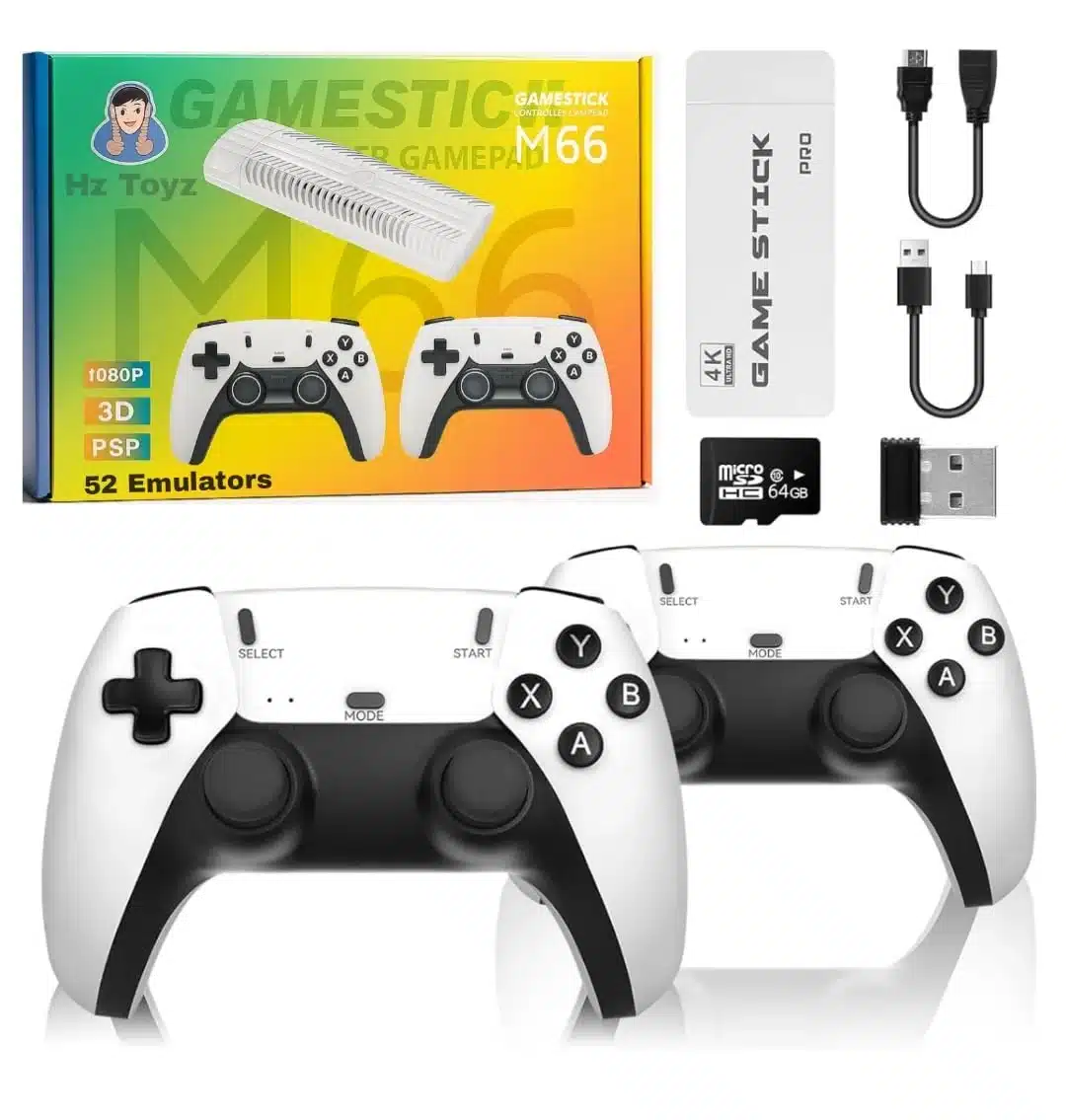
The GS5 Mini is built to look like a small modern console, so it sits nicely under a TV. It lists 64GB of storage, 30,000+ built-in games, 53 or more emulators and 4K HDMI output, with two wireless controllers in the box. Performance is similar to the M66, so choose it if looks matter or if you are buying it as a gift.
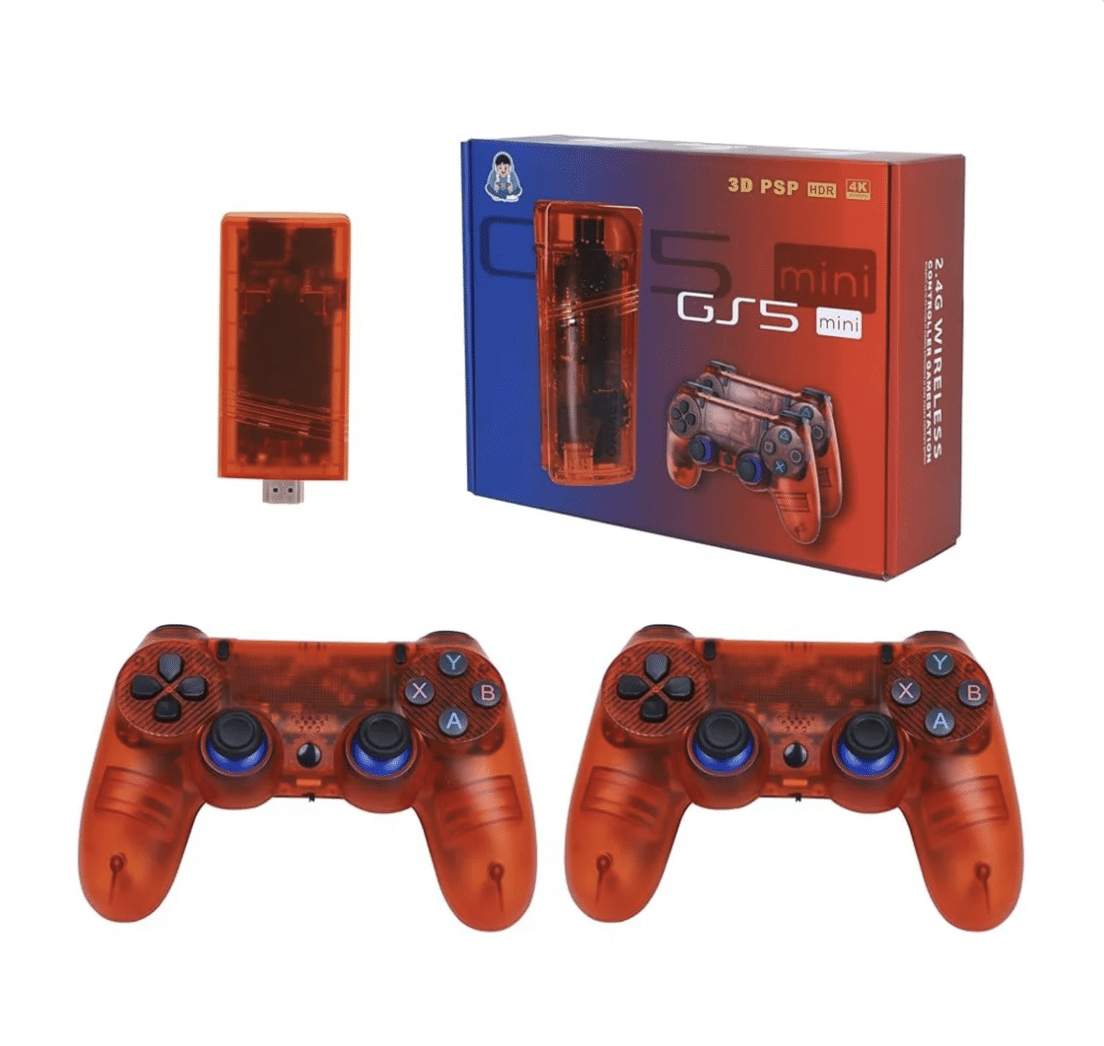
M22, X2 Plus and SD1: the other options
- M22 Game Stick: a retro TV console with 64GB and two wireless controllers, a neat gift box set.
- X2 Plus: lists 40,000+ games and 1080p HDMI output with two wireless controllers. A good pick if you want the biggest library.
- SD1 Gamestation: a 4K HDMI gamestation-style unit with two wireless controllers, for people who want something that looks like a small console.
If you want a handheld instead
Some older guides, and some sellers, describe sticks as pocket consoles. They are not. A stick needs a TV and a power source. If you want to play in the car or during load shedding with no TV, buy a handheld such as the R36S handheld, which has its own 3.5 inch screen and battery.
How to choose in 60 seconds
- Kids and family evenings: M66 or M8 Pro.
- Two-player on a small budget: M8 Pro or M8 Lite.
- You love arcade and PS1: X6.
- You want it to look neat on the shelf: GS5 Mini.
- You want the biggest list: X2 Plus.
- No TV nearby: a handheld.
Setup and first-day tips
- Plug the stick into a free HDMI port on the TV and power it from the TV’s USB port or a 5V adapter. An adapter gives steadier power than a TV port.
- Insert batteries in both controllers and plug the USB receiver into the stick.
- Switch the TV to that HDMI input and let the menu load.
- Open the favourites or search option first and save your top 20 games.
- If a controller lags, move the receiver closer using a short USB extension and keep it away from the Wi-Fi router.
Need extra controllers or a different style? Browse our gaming accessories collection.
Common buying mistakes
- Believing “4K” means sharper games. It does not.
- Expecting PS2, PS4 or modern titles. These sticks are built for older consoles.
- Ignoring the menu. A clunky interface with no search makes 20,000 games feel like a chore.
- Buying the cheapest no-name stick. You often get laggy controllers and no after-sale help.
- Forgetting batteries. Controllers need them.
Retro game stick vs handheld vs a normal console
People often ask whether a retro game stick is better than buying a handheld or a proper console. The honest answer is that they do different jobs, and choosing the wrong type is the most common regret we hear.
| Retro game stick | Retro handheld | Modern console | |
|---|---|---|---|
| Where you play | On a TV with HDMI | Anywhere, own screen | On a TV |
| Players | Two with included controllers | Usually one | One to four |
| Games | Thousands of old titles | Thousands of old titles | Modern paid games |
| Internet needed | No | No | Often yes |
| Running cost | Batteries only | Charging only | Games and subscriptions |
If the family wants a shared screen, a stick wins. If one person plays alone on the move, a handheld makes more sense. If you want modern titles, a retro stick is simply the wrong tool. The sticks rely on video game emulators, which copy how old consoles worked, so they only play games written for those older machines.
Which retro game stick is best for kids?
For children, simplicity matters more than the biggest library. Look for a stick with a menu that is easy to read, two controllers in the box so siblings are not fighting, and a game list you can trim to age-appropriate titles. The M8 Pro and M66 suit this well. Whichever you buy, keep the first week supervised, because older arcade titles can include content you may not want for young players.
What to check on your TV before ordering
- An HDMI port. Almost every TV bought in the last ten years has one. Very old CRT televisions do not.
- Power. Use a 5V adapter if the TV’s USB port gives weak power, because a stick that keeps restarting is usually underpowered.
- Screen shape. Old games were made for 4:3 screens. On a widescreen TV you will see black bars unless you change the aspect setting in the stick’s menu.
- Where the receiver sits. Place the USB receiver where the controllers can see it, not hidden behind the TV.
Classic games people usually look for
Most buyers want a few familiar names. Typical libraries include side-scrolling shooters, fighting games, kart racers, football and plenty of puzzle games. Instead of chasing the biggest number, make a list of ten games you actually want and check that the stick’s system list covers them. Arcade and PlayStation 1 titles are common requests, and they need a more capable chip than 8-bit games do.
How much should a retro game stick cost in Pakistan?
On Pakistani listings we checked while researching this guide, 64GB sticks with two wireless controllers sat roughly between Rs 2,500 and Rs 8,500, depending on the model, seller and offers. The very cheapest ones are generic units where controllers, menu and support are often the weak points. Game counts also differ between sellers for the same model, so treat them as marketing numbers. The current price of every stick we sell is on its product page, with cash on delivery across Pakistan.
FAQs
Which is the best retro game stick in Pakistan?
For most families, the M66 Game Stick 4K, because of its library, emulators and controllers. For simple low-cost play, the M8 Pro.
Can a retro game stick play PS2 or PS4 games?
No. They emulate older systems such as PS1, NES, SNES, Mega Drive and arcade machines.
Is a game stick the same as a handheld console?
No. A stick connects to a TV by HDMI. A handheld has its own screen and battery.
Do I need internet?
No. Games are stored on the stick, so it works offline.
How many players can use it?
Two, because every stick listed here comes with two wireless controllers.
Do the controllers need batteries?
Yes. Check the product page for the battery type and keep a spare set.
Will it work on any TV?
Any TV or monitor with an HDMI port. Very old TVs without HDMI need an adapter.
Do you offer cash on delivery?
Yes, Mobile Geeks delivers across Pakistan with cash on delivery, and you can order or ask questions on WhatsApp.
Ready to start? See all the sticks in our gaming accessories collection, or message us on WhatsApp and we will help you pick the right one.