

Computer Storage

Showing all 3 resultsSorted by latest
-
Computer Accessories, Computer Storage
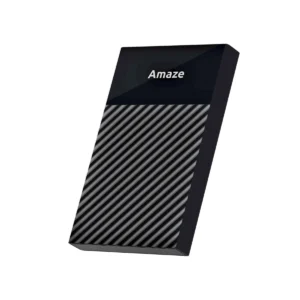
Original price was: Rs2,950.00.Rs2,199.00Current price is: Rs2,199.00.💵 Cash on DeliveryAdd to cart


Showing all 3 resultsSorted by latest
Storage Devices in Pakistan | Computer Storage & USB Storage Devices
Running out of storage always happens at the worst possible time. Right before submitting an assignment, right when a client needs a file transferred, right in the middle of backing up years of photos nobody wants to lose. This category exists for exactly that moment, covering storage devices built to actually hold up under regular daily use rather than failing quietly after a few months.
Whether it’s a quick USB drive for moving files between computers or a larger external hard drive for backing up an entire system, everything here is picked for reliability first.
What’s Actually Worth Buying
USB flash drives remain the most grabbed item in this category, and for good reason. They’re small, cheap enough for casual use, and useful for anyone moving files between a home computer, an office desktop, and a laptop without relying on cloud storage or a stable internet connection. Capacity matters more than most people initially think, a drive that seemed like enough two years ago often feels cramped once photos, documents, and downloaded files start piling up.
External hard drives suit a different need entirely. Anyone backing up an entire computer, storing large video files, or keeping years of work archived safely needs something with far more capacity than a flash drive can offer. Portable models are lighter and easier to carry, while desktop style external drives generally hold more storage at a steadier, more reliable price point.
Memory cards round out this category for anyone using cameras, drones, or older phones that still rely on expandable storage rather than built in memory. Speed class matters here more than raw capacity, especially for video recording where a slow card can actually cause dropped frames or failed recordings mid shoot.
Computer Storage Devices Built for Pakistani Conditions
Heat and dust both take a toll on storage devices faster than most buyers expect. A flash drive or external hard drive left in a hot car, a dusty desk drawer, or direct sunlight through a window can degrade well before its expected lifespan. We factor that into what gets stocked, favoring devices with sturdier casings and better heat tolerance suited to local conditions rather than generic imports with no consideration for climate.
Power fluctuations during loadshedding also matter for external hard drives specifically, since sudden power cuts during a file transfer can corrupt data or damage the drive itself. Devices with better power management handle those interruptions more gracefully than budget models that weren’t built with unstable power in mind.
USB Storage Devices in Pakistan: Choosing the Right Capacity
Buying more storage than needed wastes money, buying too little means replacing a drive within months. For basic document storage and occasional photo transfers, smaller capacity drives work fine. Anyone backing up large media files, gaming libraries, or years of accumulated work should lean toward higher capacity external drives instead of relying on multiple smaller flash drives scattered across a desk.
Transfer speed is worth checking too, particularly for anyone moving large files regularly. A slower USB 2.0 drive can turn a quick backup into a lengthy wait, while USB 3.0 and newer standards move files considerably faster for the same task.
Why Buy Storage Devices From Mobile Geeks
Every device listed here is checked for read and write speed, build durability, and actual advertised capacity before it’s added to the store. Fake or mislabeled capacity is a real problem in this category across the wider market, and we avoid it entirely by verifying specifications rather than taking manufacturer claims at face value.
Browse the range below and find a storage solution that actually matches how much you need to keep safe.
Storage is only useful if you can get to your files. For the phone side, look at cables and power banks; for the desk, see our computer accessories, a keyboard or mouse, and network products if you move files over WiFi.
Frequently Asked Questions
A USB flash drive is the most convenient option for moving files between computers without needing the internet.