

You plug in your phone, the little screen on your charger flashes 42W, and you feel like a winner. Ten seconds later it reads 31W. Then 18W. Then 9W. Is the charger faulty? Did you buy a fake? Relax. At our Johar Town shop, customers bring us this exact worry almost every week, and in most cases nothing is wrong. Charger wattage fluctuating on a display is usually a sign that the charger and your phone are talking to each other properly.
The numbers move because your battery, its temperature, and even the apps you have open keep changing what the phone asks for. If you are shopping for our mobile and wall chargers, this guide explains what those numbers mean and when to actually worry.
Charger wattage changes because your phone constantly adjusts how much power it accepts based on battery level, heat, and usage.
Yes. Steady changes are normal. Repeated drops to zero with the phone disconnecting and reconnecting point to a cable, port, or charger problem.
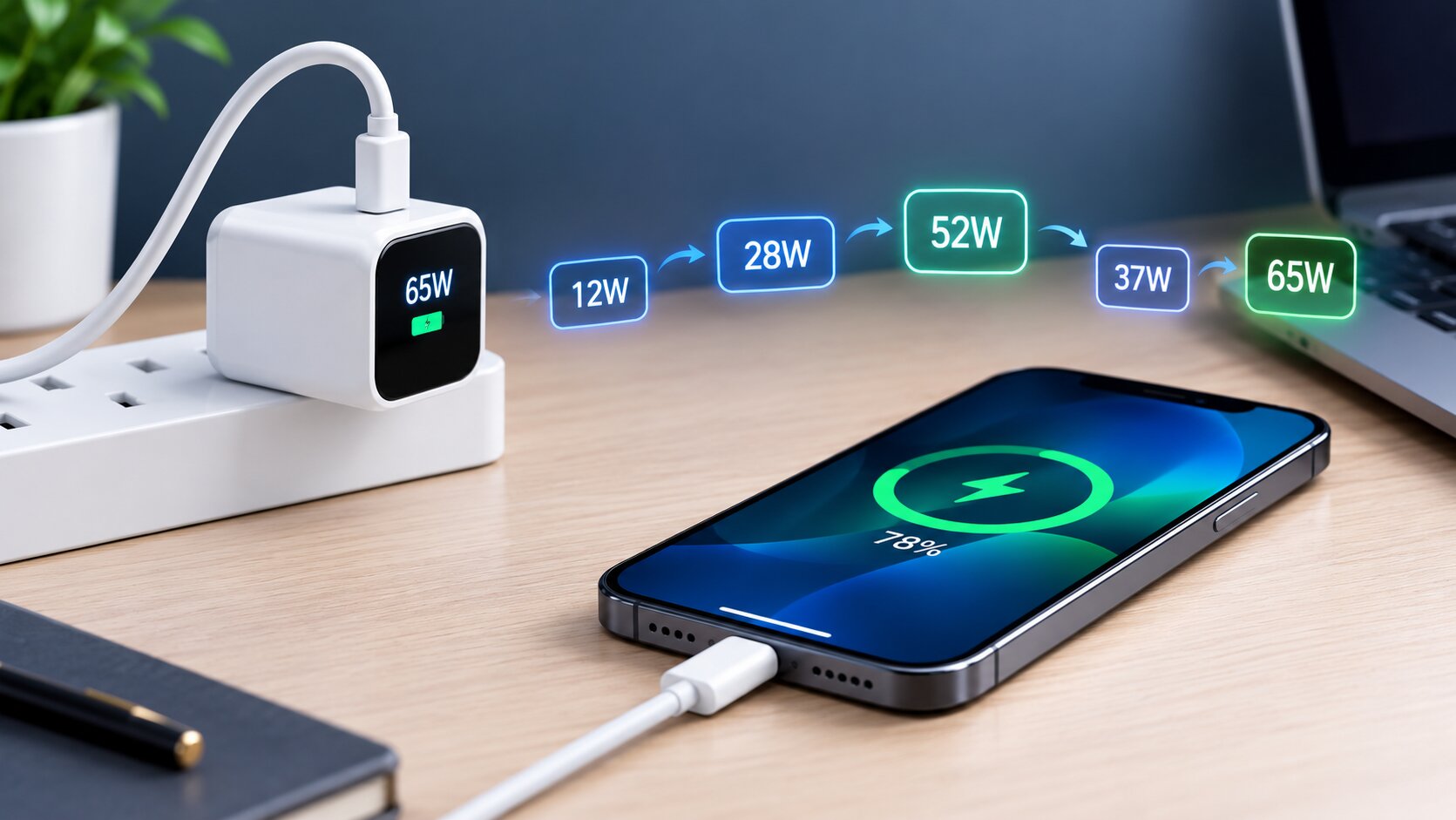
Table of Contents
Your Phone Controls the Wattage on a Charger
Here is the key idea most people miss. A fast charger does not push power into your phone. It offers power, and the phone decides how much to take. Modern chargers use standards like USB Power Delivery and PPS, which let the phone request a specific voltage and current, then change that request many times a minute.
So when you see the charger wattage display changing, you are watching a live conversation. The phone says “give me more” while the battery is empty and cool, then “slow down” as it fills or warms up. A charger with a display, like the Anker Nano Charger 45W with smart display, simply shows you that conversation in real time. Chargers without a screen do the exact same thing. You just never see it.
5 Reasons the Wattage on a Charger Keeps Fluctuating
Battery Level Changes the Speed
Lithium batteries charge fastest when they are low. From around 10 to 50 percent, your phone pulls close to its maximum. After that, it gradually tapers the power to protect the battery. By 80 percent, the wattage can drop to half, and the last stretch to 100 often runs at single digit watts. That slow finish is deliberate, and it keeps your battery healthy for longer.
Heat Makes the Phone Back Off
Heat is the biggest enemy of battery life, and your phone knows it. When the battery warms up, the phone cuts the charging watts to cool things down. This is very common in a Karachi or Lahore summer, inside a car, or when the phone sits under a pillow or in a thick case. Once the temperature settles, the wattage climbs back up.
You Are Using the Phone While It Charges
Scrolling, video calls, gaming, and hotspot all use power and create heat. Some of the incoming watts go straight to running the phone, and the heat makes the phone slow charging further. That is why the display often jumps around more while you are using the phone than when it sits quietly on a table.
The Cable Is Holding Things Back
A worn, cheap, or low-rated cable can limit power and cause unstable readings. Thin wires lose energy as heat, and loose connectors can break the connection for a split second, forcing the phone and charger to restart their handshake. A properly rated cable, such as the Samsung USB-C to USB-C Cable 5A, keeps the line steady. Browse our cables range if yours has seen better days.
Another Device Joined a Multiport Charger
On a multiport charger, the total power is shared. Plug in a second device and the charger redistributes power between ports. During that switch, many chargers briefly reset every port, so your phone may drop to zero for a second, then settle at a lower number. That is normal behaviour, not a fault.
What the Wattage on a Charger Display Actually Shows
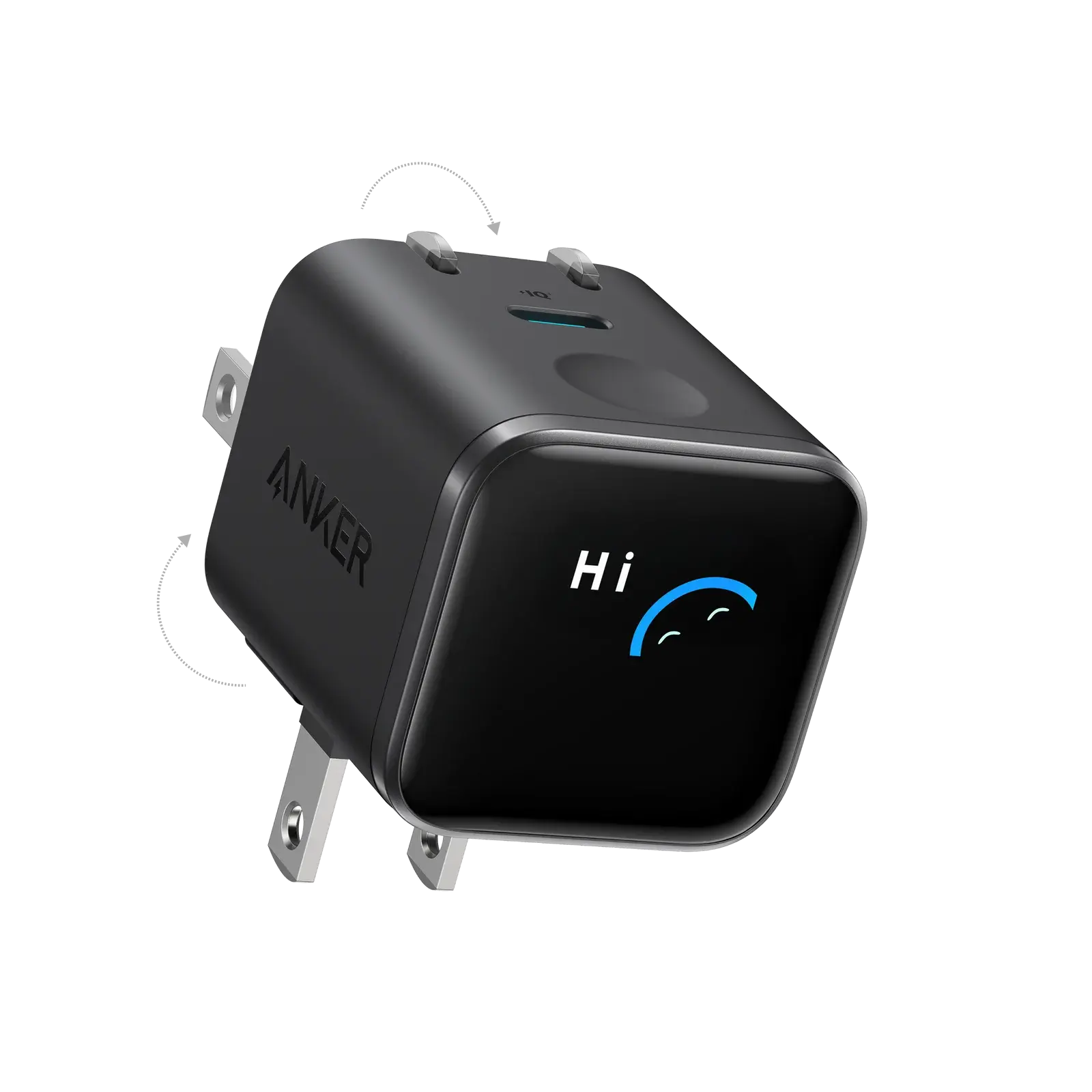
A charger with a screen is measuring what is flowing through it right now. The wattage on a charger display is a live reading, not the number printed on the box. A 45W charger will only show 45W when the phone asks for 45W, and most phones ask for that only for a short stretch.
That is why the wattage on a charger display looks lower than the label for most of the session. The label shows the maximum the charger can deliver. The display shows what the phone is accepting at that second. Reading the two as the same number is the most common mistake we see at the counter.
Chargers with a smart display, such as the Anker Nano Charger 45W, show charging wattage, device information and temperature. Seeing those numbers move is normal. It means the wattage on a charger is being managed in real time instead of staying fixed.
Typical Wattage on a Charger by Battery Stage
Most phones follow a similar pattern. The exact numbers depend on the model, but the shape of the curve is almost always the same. Use this table as a rough guide to the wattage on a charger display during one full charge.
| Battery level | What the display usually shows | Why |
|---|---|---|
| 0 to 20% | Highest reading | The phone asks for maximum power while the battery is empty |
| 20 to 70% | High and fairly steady, with small dips | The phone holds speed until heat or limits appear |
| 70 to 90% | Gradual drop | The phone slows down to protect the cells |
| 90 to 100% | Low, often single digits | The last part is a gentle top-up |
| 100% | Near zero or occasional pulses | The phone only tops up small losses |
If the wattage on a charger display follows this curve, everything is working. A sudden, unexplained drop in the middle of the range, such as 30W falling to 5W at 40%, is the moment to check the cable, the heat and the other devices on the charger.
Wattage on a Charger: Normal vs Warning Signs
| What You See | What It Usually Means |
|---|---|
| High watts at low battery, lower watts after 50 to 80 percent | Normal battery protection |
| Watts dip when the phone feels warm | Normal heat control |
| Watts jump around while gaming or on calls | Normal, power is shared with usage |
| Brief drop to zero when plugging in a second device | Normal port reset on multiport chargers |
| Repeated drops to zero with connect sounds | Loose cable, dirty port or faulty charger |
| Charger too hot to touch, or a burning smell | Stop using it straight away |
How to Read the Wattage on a Charger Display Step by Step
Reading the wattage on a charger display takes less than a minute once you know what to look for. Follow these steps:
- Note the battery level. Below 20% the wattage on a charger should be at its highest.
- Check the phone’s limit. Look up your phone’s maximum charging wattage. If it is 25W, a 45W charger will never show more than about 25W.
- Look at the temperature. A warm phone and a falling wattage on a charger display usually means the phone is cooling itself.
- Unplug other devices. On a multiport charger, extra devices share the total.
- Swap the cable. If the number jumps with a different cable, the first cable was the bottleneck.
Is Fluctuating Wattage on a Charger Bad for Your Battery?
No. A moving number is the opposite of damage. Modern phones adjust the wattage on a charger display on purpose to keep the battery inside safe limits. When the phone slows the charge, it protects the cells from heat and over-voltage.
What does hurt a battery is sustained heat. If you game, record video or run navigation while charging, the phone fights to stay cool and the wattage on a charger display drops hard. That is normal behaviour, but repeating it all day will age the battery faster. Take the phone off a pillow or a sofa, and charge it on a hard, open surface.
Original chargers and certified cables also matter. A poor adapter can deliver unstable power, which shows up as a jumpy wattage on a charger display along with warm plastic. If your charger smells hot or buzzes loudly, stop using it and replace it with an original.
How to Keep the Wattage on a Charger Steady
You cannot stop the numbers from moving completely, and you should not want to. But you can help your phone hold its top speed for longer.
- Charge from a lower level: Plugging in at 20 to 30 percent gives you the longest stretch of full speed.
- Keep it cool: Remove thick cases and avoid charging in direct sun or on a bed.
- Put the phone down: Light use while charging means more watts reach the battery.
- Clean the port: Lint in the USB-C port causes loose contact. A gentle wooden toothpick works well.
- Match the charger to the phone: Samsung Ultra phones need a PPS charger for their fastest mode. Our Samsung 25W vs 45W charger guide explains this.
Wattage on a Charger vs the Wattage Your Phone Accepts

Phones have a charging ceiling. A phone that accepts 25W will not charge faster on a 65W adapter, so the wattage on a charger display tops out at the phone’s limit. This is why our guide on Samsung 25W vs 45W chargers matters for anyone shopping by number.
The cable has a ceiling too. A thin cable without the right rating can cap the wattage on a charger even when the phone and the adapter can do more. For 45W and above, use a 5A-rated USB-C cable such as the 45W Samsung USB-C 5A cable. If you charge a phone and a laptop together, our comparison of a 65W multiport charger and a compact 45W charger explains how power gets shared.
Chargers With a Display Worth Considering in Pakistan
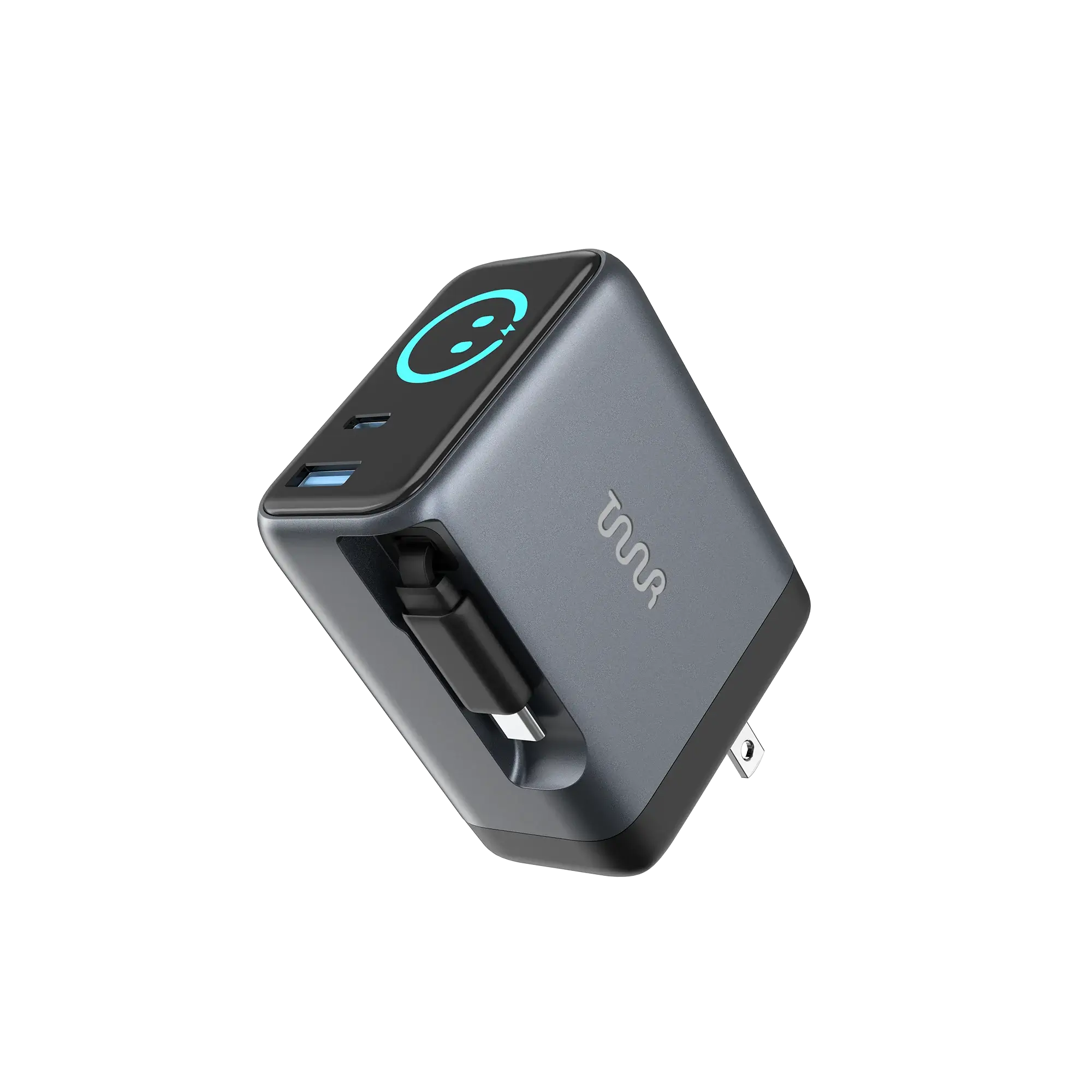
If you like to see the wattage on a charger instead of guessing, a model with a built-in display is the easiest way. We stock two good options:
- Anker Nano Charger 45W with a smart display and a foldable plug, Rs 6,999.
- OMI 70W GaN Charger with an interactive display and a retractable design, Rs 9,799.
Both let you watch the wattage on a charger in real time, which makes it easy to spot a weak cable or a heat problem. Browse the full range of chargers and cables if you want something simpler. Prices change with sales, so check the product page.
Common Mistakes With the Wattage on a Charger
The biggest mistake is judging a charger by its peak number. A charger that holds 25W steadily can fill a phone faster than one that spikes to 45W and quickly throttles because the phone is overheating. Watch the overall charging time, not the first ten seconds.
Another mistake is replacing a good charger when the cable was the real problem. Always test with a second known good cable before blaming the brick. And finally, many people assume unbranded chargers are fine because the display shows big numbers. Cheap displays can be inaccurate, and cheap internals can lack proper safety protection. Buy from an authorised seller with a warranty.
Quick Verdict on the Wattage on a Charger
- Display jumps up and down: normal. The wattage on a charger follows the phone.
- Low reading above 90%: normal. The phone is finishing gently.
- Low reading at 30%: check the cable, heat and other devices.
- Reading never reaches the label: normal. The wattage on a charger depends on the phone’s limit.
- Charger hot or buzzing: stop using it and buy an original.
- Drops to zero repeatedly: the cable or port is faulty, so swap it.
In short, the wattage on a charger is a conversation between the phone and the adapter. Learn the pattern and you will stop worrying about every dip. For power on the move, our best power banks for fast charging and 10000mAh vs 20000mAh power bank guide help you choose, and the best tech accessories under Rs 5,000 list covers cheap essentials. For more on how power works, see the USB Implementers Forum overview of Power Delivery.
Key Takeaways on the Wattage on a Charger
- Changing wattage is normal and shows the phone managing its battery.
- Battery level, heat and phone usage cause most fluctuations.
- Repeated drops to zero usually point to a cable or port issue.
- Steady charging matters more than a high peak number.
Want a charger that shows exactly what is happening? Explore our fast chargers in Pakistan or message our team on WhatsApp for help matching one to your phone.
Frequently Asked Questions
Why is my charger wattage fluctuating?
Your phone adjusts the power it accepts based on battery level, temperature, and usage, so the wattage display changes constantly while charging.
Is it bad if charging watts keep changing?
No. Gradual changes are normal battery management. Only repeated drops to zero or a very hot charger signal a real problem.
Why does charging slow down after 80 percent?
Phones reduce power near full charge to protect the battery from stress and heat, which helps it last longer over time.
Can a bad cable cause fluctuating charging watts?
Yes. Worn or low-rated cables limit power and cause brief disconnections, making the wattage drop or jump unpredictably.
Are charger wattage displays accurate?
Branded chargers give a close real-time estimate. Cheap unbranded displays can be inaccurate, so judge by actual charging time instead.
Why does the wattage on a charger drop to single digits?
Near 100% the phone only needs a small top-up, so the wattage on a charger falls to single digits. Heat or a weak cable can also cause a drop earlier in the charge.
Should the wattage on a charger match the label?
No. The label shows the maximum output. The display shows what your phone is accepting right now, which is usually lower.
Does a charger with a display charge faster?
No. The display only shows the wattage on a charger. Speed depends on the phone, the cable and the adapter’s rating.
Charging Myths Behind the Wattage on a Charger
Many people believe a bigger number always means faster charging. In reality the wattage on a charger is capped by the phone, the cable and the heat, so a 65W adapter often behaves like a 25W one on a mid-range phone. Another myth says a display that shows a low number means a fake charger. A low reading near the end of a charge is the normal pattern.
A third myth is that overnight charging ruins the battery because the wattage on a charger keeps moving. Modern phones taper the charge and stop at 100%, so the moving number is just the phone managing itself. If you want to be extra careful, switch on your phone’s battery protection mode, and keep the room cool.