

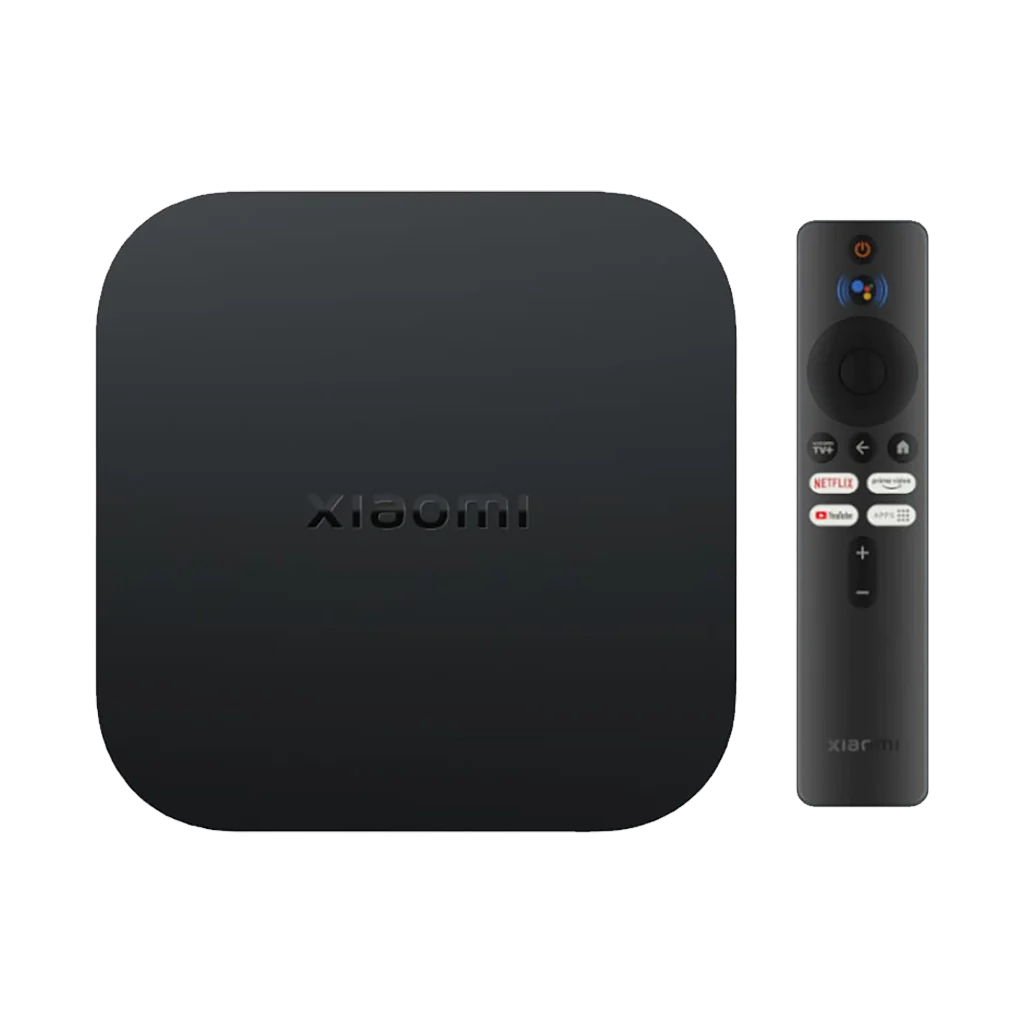
A smart TV box (also called an Android TV box) is a small box that plugs into your TV’s HDMI port and turns it into a smart TV. Once it is on your Wi-Fi, you can watch YouTube, Netflix and other apps, browse the internet and cast from your phone, all on the TV you already have.
You need one if your TV has no smart features, or if its built-in apps have become slow or stopped updating. If your TV is already a working smart TV with the apps you use, you probably don’t.
What does a smart TV box actually do?
Think of it as a small Android phone for your TV, with its own processor, memory and Wi-Fi. With a box connected, you can:
- Watch YouTube, Netflix, Prime Video and other streaming apps (you still need your own subscriptions).
- Install more apps from the Play Store, such as IPTV players, sports apps or light games.
- Cast videos from your phone to the TV, if the box has Chromecast built-in.
- Play movies and songs from a USB drive or memory card, on boxes that have those slots.
- Search by voice, on boxes that come with a voice remote.
What you need before you buy
- A TV with an HDMI port. Almost every LED TV from the last ten years has one. Very old TVs with only AV (red, white, yellow) inputs can still work with a box that has an AV output, like the X96Q.
- Internet. Home Wi-Fi or a LAN cable from your router. Many budget boxes only use 2.4 GHz Wi-Fi, so check this if your router is on 5 GHz only.
- A power socket near the TV. The box runs on its own adapter.
- A 4K TV, if you want 4K. A 4K box on a Full HD TV will still work, it just shows Full HD.
Most boxes come with an HDMI cable. If your TV is a bit far from where the box will sit, a longer cable such as the Anker HDMI cable helps.
Certified Google TV box vs generic Android box
All of these boxes “run Android”, but they are not the same. This is where most buyers get confused.
Certified boxes (Google TV / Android TV)
Boxes like the Xiaomi TV Box S 3rd Gen run Google TV, which is Google’s own TV software, licensed to the maker. Xiaomi lists it on mi.com with Google TV, Google Assistant voice search and casting from your phone. You get the proper TV home screen, apps from the Play Store, and regular updates from a big brand. It is the safer choice for Netflix and Prime Video.
Generic Android boxes (Q96 Max, X96Q and similar)
Boxes like the Q96 Max and X96Q run a plain version of Android 10 that the factory sets up itself. They are cheap and they do work for YouTube, browsing and many apps. But to be honest with you: generic boxes like these are not Google certified, so apps like Netflix may not install from the store, or may only play in lower quality. Their product pages list Android 10, not Google TV or Android TV. For YouTube, IPTV or your own files, that may not matter.
In between: budget boxes sold as “Google TV”
Newer budget boxes like the YoTube Pro, CBox C1000 Pro and Dany Amaze AX-500 list Android 15, Google TV or Play Store support, Chromecast and Netflix/YouTube buttons on the remote. Their specs come from the box and the seller, not from a big brand’s website, so treat claims about picture quality in Netflix with some care. For the YoTube Pro, the settings screen may show more RAM and storage than it really has; the real figures are 2 GB and 8 GB.
RAM, storage and 4K: what the numbers mean
- RAM: 2 GB is the comfortable minimum today. 1 GB (like the Q96 Max) works for YouTube and basic apps but feels slow with many apps open.
- Storage: 8 GB fills up fast once the system and a few apps are installed. 16 GB or 32 GB gives you room for more apps. Your movies can still play from a USB drive.
- 4K: most boxes now say 4K. What makes a real difference is HDR (Dolby Vision, HDR10+) and whether the app itself streams in 4K on that box.
- Wi-Fi: 5 GHz or Wi-Fi 6 gives smoother streaming than 2.4 GHz only, especially for 4K.
- Remote: a Bluetooth or voice remote does not need to be pointed at the box, and voice search saves a lot of typing on the TV.
Which box should you buy?
These are the TV boxes we have in stock. Prices update live from each product page.
| Box | Price | Software | RAM / storage | Best for |
|---|---|---|---|---|
| Xiaomi TV Box S 3rd Gen | Rs 22,999 Sale | Google TV | 2 GB / 32 GB | Best picture (4K 60fps, Dolby Vision, HDR10+), Wi-Fi 6 |
| Dany Amaze AX-500 | Rs 11,499 Sale | Android 15, Play Store | 2 GB / 8 GB | Voice remote, 5 GHz Wi-Fi, LAN and optical audio |
| YoTube Pro | Rs 6,999 | Android 15, Google TV | 2 GB / 8 GB | Casting from your phone on a budget |
| CBox C1000 Pro | Rs 6,999 Sale | Android 15, Google TV | 2 GB RAM, 16 GB storage | Voice remote with Google Assistant, Chromecast |
| Q96 Max | Rs 5,499 Sale | Android 10 (generic) | 1 GB / 8 GB | Lowest cost, YouTube and USB movies |
| X96Q | Rs 4,999 | Android 10 (generic) | Confirm before ordering | Old TVs with AV input only, LAN port |
Our pick: if your budget allows, the Xiaomi TV Box S 3rd Gen is the one we would buy for a family TV. It is the only box here with its full specs published by the brand: Google TV, 4K at 60fps, Dolby Vision and HDR10+, Wi-Fi 6, a 360° Bluetooth voice remote and 32 GB storage. If you want something much cheaper with a voice remote and casting, look at the Dany Amaze AX-500 or YoTube Pro. If you only need YouTube on an old TV, the X96Q or Q96 Max does the job.
See all boxes and sticks in our media streaming devices section.
How to set up a smart TV box
- Plug the box into your TV’s HDMI port and connect its power adapter.
- Turn on the TV and choose that HDMI input with your TV remote (Source or Input button).
- Pair the box remote if the screen asks you to (Bluetooth remotes usually ask on first start).
- Connect to your Wi-Fi, or plug in a LAN cable.
- Sign in with your Google account to use the Play Store, then sign in to YouTube, Netflix and your other apps.
- Let the box finish its updates first. The first start is always slower.
What about Chromecast?
Chromecast with Google TV was Google’s own streaming stick. It is currently sold out with us (Chromecast with Google TV 4K: Sold OutAsk on WhatsApp). If you were searching for a Chromecast, the closest options we have are the Xiaomi TV Box S 3rd Gen, which supports casting from Google Cast apps, and the budget YoTube Pro and CBox C1000 Pro, whose pages list Chromecast built-in.
Questions people ask
What is a smart TV box?
It is a small box that connects to your TV through HDMI and adds smart features: streaming apps like YouTube and Netflix, a web browser, an app store and casting from your phone. It turns a normal LED TV into a smart TV.
Do I need a smart TV box if I already have a smart TV?
Usually not. It makes sense only if your smart TV is slow, no longer gets app updates, or is missing an app you want.
What is the Android TV box price in Pakistan?
It depends on the type. Generic Android boxes like the X96Q and Q96 Max are the cheapest, newer Android 15 boxes sit in the middle, and the Xiaomi TV Box S 3rd Gen costs the most. Live prices are in the table above.
How much does a Chromecast device cost?
Chromecast with Google TV is sold out with us at the moment. A Xiaomi TV Box S 3rd Gen, or a budget box with Chromecast built-in like the YoTube Pro or CBox C1000 Pro, does the same job of casting from your phone.
Does Netflix work on a cheap Android TV box?
Netflix works best on Google-certified boxes like the Xiaomi TV Box S 3rd Gen. On generic boxes such as the Q96 Max or X96Q, Netflix may not be available from the store or may play in lower quality.
Will a TV box work on my old TV?
Yes, if the TV has an HDMI port. For very old TVs with only AV inputs, the X96Q has an AV output as well as HDMI.
Can I pay cash on delivery?
Yes. All the boxes here can be ordered with cash on delivery anywhere in Pakistan, or collected from our Johar Town shop in Lahore.