

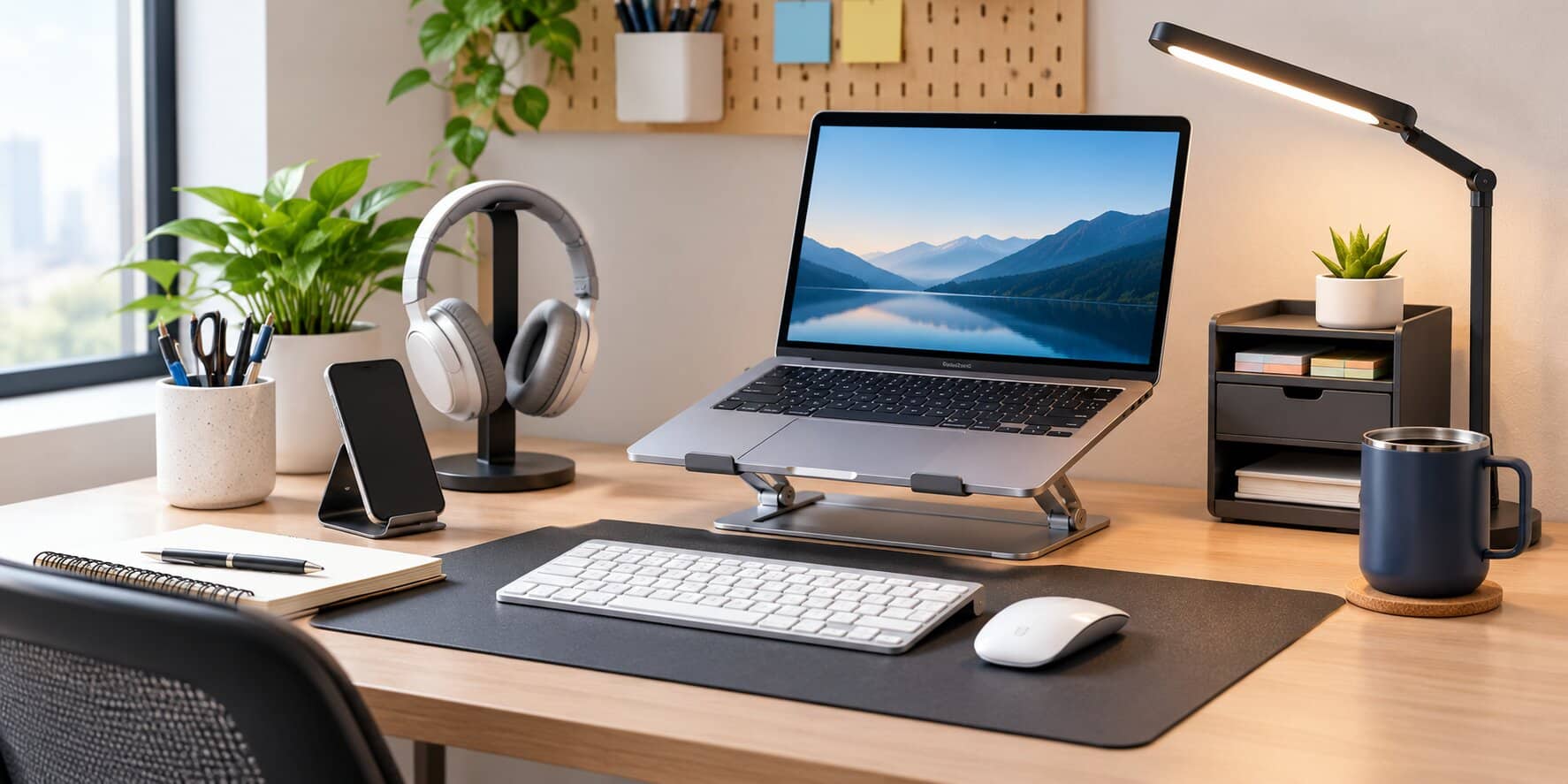
Looking for the best work-from-home accessories for a small desk in Pakistan? This zone-by-zone plan shows which work-from-home accessories to buy, where each one goes and how to fit them all on a tiny desk.
Your office is the corner of the bedroom. Or half the dining table, cleared after dinner. Or a small study table your younger brother also wants after 5 p.m.
Table of Contents
That is the real home office for most people working from home in Pakistan. Yet most guides to work from home accessories Pakistan shoppers find online are written for a spare room with a big desk and a window.
So we did this one differently. Instead of listing gadgets, we split a small desk into zones. Each zone gets one job and one accessory that does that job without eating space. The result is a list of home office accessories Pakistan homes can actually fit, from a Karachi flat to a joint family house in Lahore.
Zone 1: The Front Edge | Where Your Hands Live
This is the most valuable strip of any desk. On a small table, a laptop pulled to the front leaves no room for anything else, and you spend the day hunched over the screen.
A Compact Wireless Keyboard
Push the laptop back, put a keyboard in front, and your neck will thank you by Wednesday. A compact wireless keyboard without a number pad saves a full hand’s width of desk. Pick one that switches between devices, so the same keys type on your laptop and reply on your phone. A4tech makes slim Bluetooth and 2.4G models built for exactly this.
A Quiet Wireless Mouse
A trackpad is fine for one email. It is not fine for eight hours of spreadsheets. A wireless mouse clears one more cable off a crowded surface, and a silent click model keeps the peace when someone is sleeping in the same room.
In our experience, the desk accessories Pakistan buyers regret least are these two plain, boring ones. They get used every hour of every working day.
Zone 2: The Screen Line | How the Client Sees You
A USB Webcam
Laptop cameras look up your nose and turn a tube-lit room into grey fog. A USB webcam clips to the top of the screen, sits at eye level and gives a clear, steady picture for client calls and interviews. It takes zero desk space, which makes it the easiest upgrade on this list.
Zone 3: The Side | Where Your Phone Goes
A Phone Stand or Holder
On a small desk, a phone lying flat takes up space and gets buried under papers. Worse, you pick it up every time it buzzes. A phone holder turns it into a small second screen for WhatsApp, login codes and the client voice note you need to play twice.
Zone 4: The Corner | One Plug for Everything
A Multi-Port GaN Charger
Count the chargers on a typical work desk. Laptop brick, phone charger, earbuds cable. Three plugs for one socket that already wobbles. A multi-port GaN fast charger replaces them with one small block. Higher-watt models from Anker and Samsung can run a laptop and a phone at the same time.
Short Braided Cables
Long cables are how desks turn into nests. Swap them for shorter braided cables that reach exactly where they need to and stop there. A single 3-in-1 cable can cover a phone, earbuds and an older device.
Zone 5: Your Ears | The 11 p.m. Client Call
Working for a client in New York or London means calls just as the house winds down. The kids are asleep. Your mother is watching her drama. Speakerphone is not an option.
A USB Headset With a Noise Cancelling Mic
A USB headset with a mic keeps the call between you and the client. The mic picks up your voice and leaves out the pressure cooker in the kitchen. Of all the work from home accessories Pakistan freelancers ask us about, this is the one that changes how they sound to clients the fastest. Logitech’s USB range is a safe place to start.
Zone 6: The Invisible Zone | Power and Signal
Two things never sit on the desk but decide whether you get any work done at all.
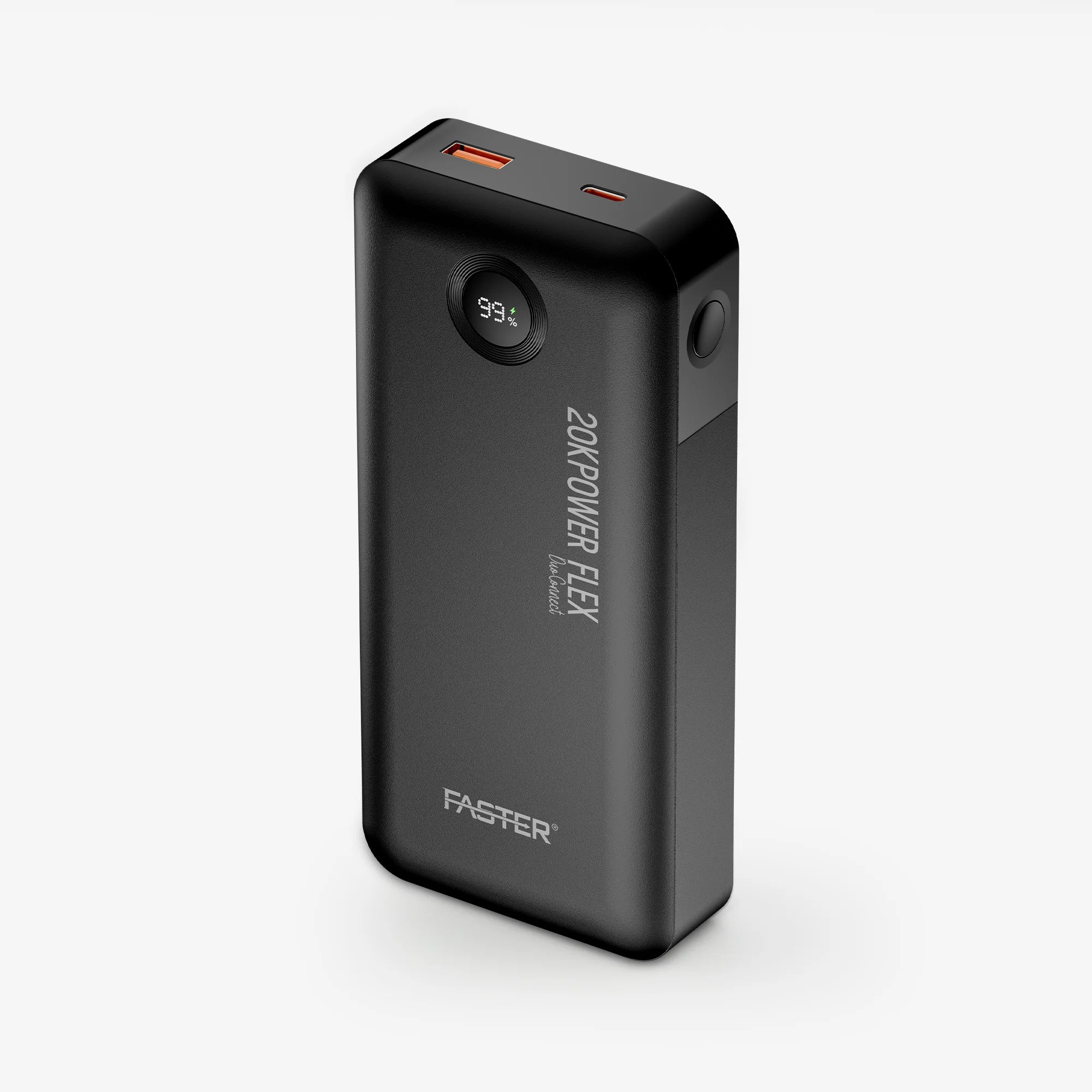
A 20,000mAh Power Bank With PD
Load shedding does not care about your deadline. A 20,000mAh power bank with USB-C PD keeps your phone hotspot alive when the router goes dark. Higher-output models can even top up a laptop in the middle of a call.
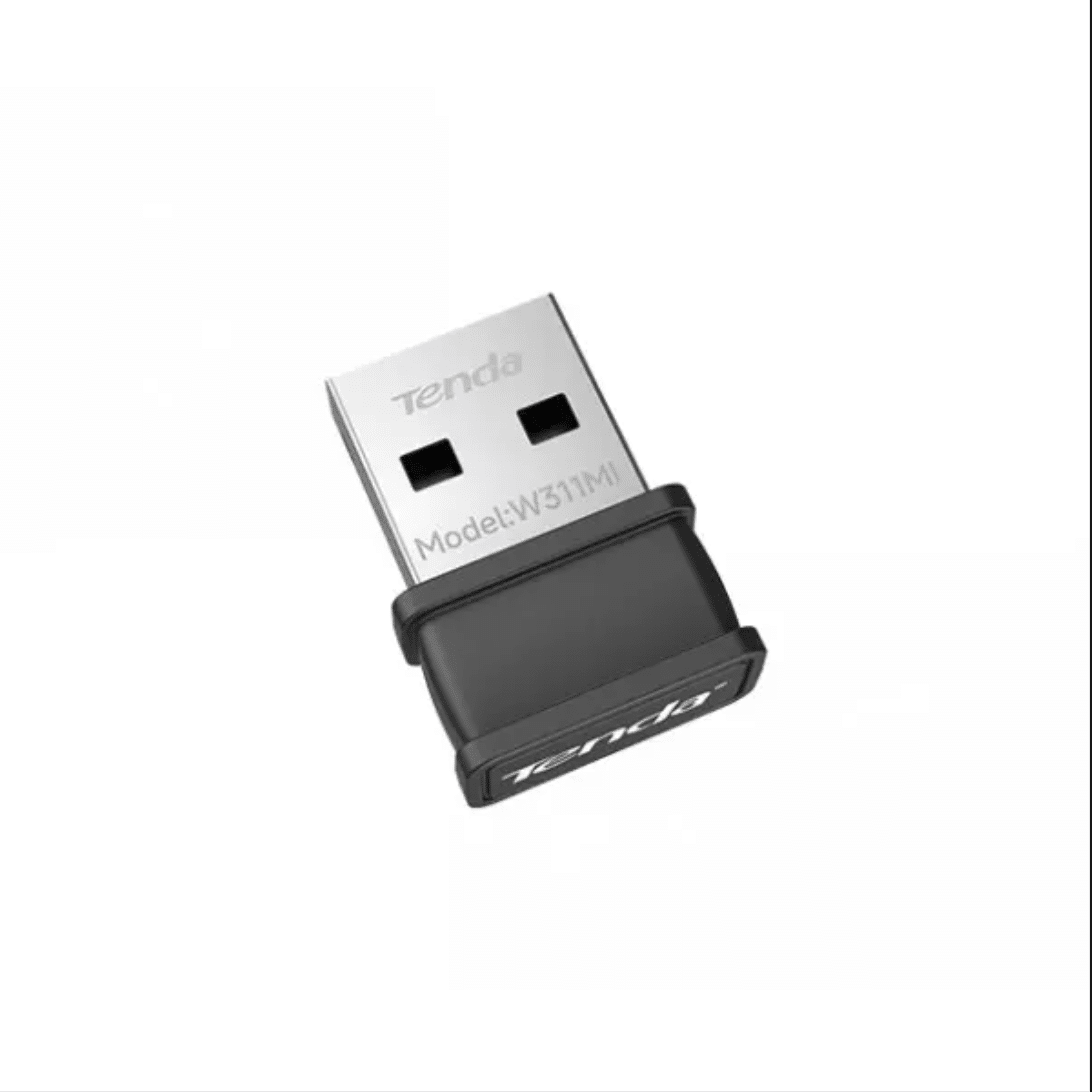
A WiFi USB Adapter
The router lives in the lounge. Your desk lives in the back bedroom. A high-gain WiFi USB adapter pulls in the signal your laptop’s built-in card keeps losing, so video calls stop freezing on your face.
Your Small Desk Map: Work From Home Accessories at a Glance
Zone | Job 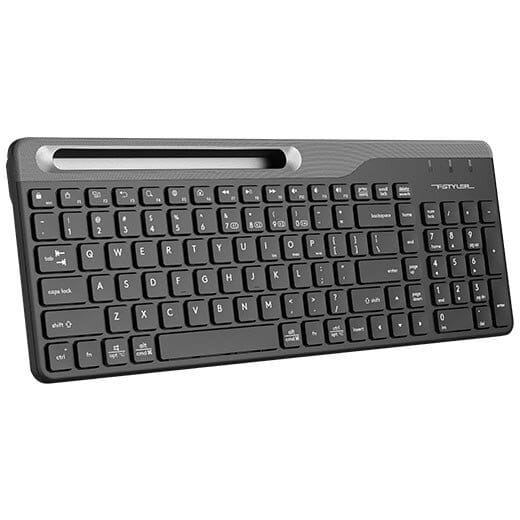 | Accessory |
|---|---|---|
Front edge | Typing and control | Compact keyboard, wireless mouse |
Screen line | Being seen clearly 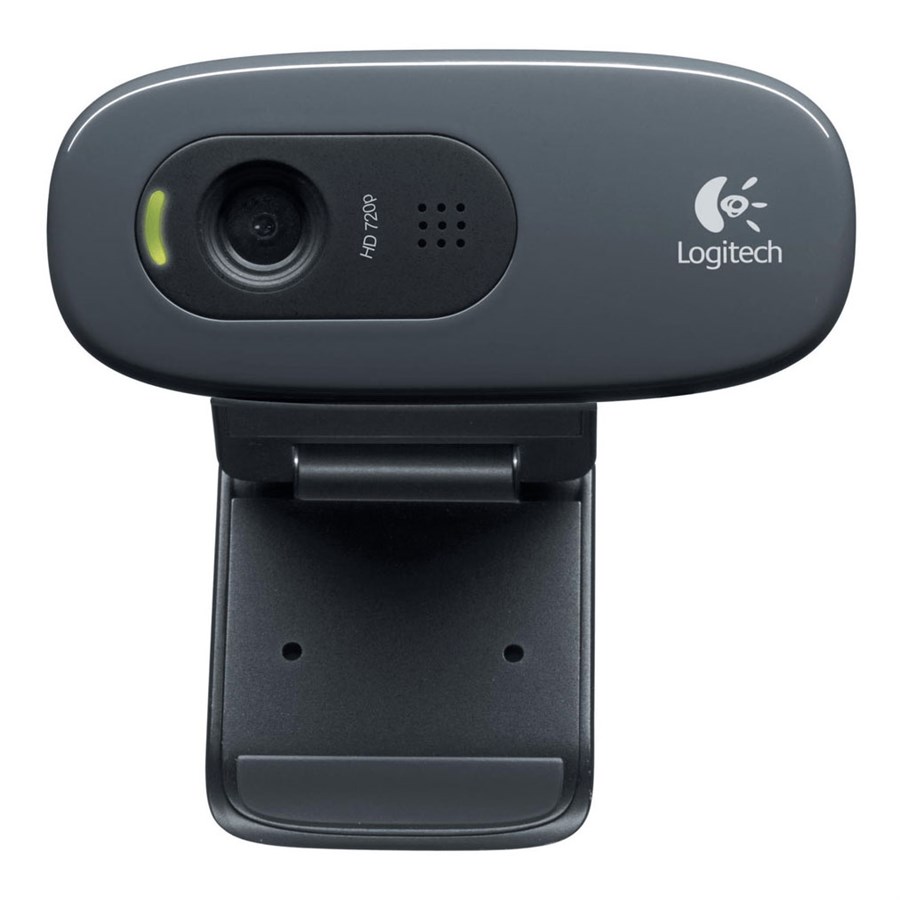 | USB webcam |
Side | Phone within reach | Phone holder |
Corner | Charging everything | GaN charger, braided cables |
Your ears | Private calls | USB headset with mic |
Invisible zone | Power and signal | Power bank, WiFi adapter |
Use this map before you buy any desk accessories Pakistan sellers recommend. If a product does not fit a zone, it does not belong on a small desk.
One summer tip: keep your laptop off cloth surfaces in June. Fabric traps heat, and a hot laptop slows down right when the deadline hits.
What We Left Off the Desk
Plenty of home office accessories Pakistan stores push are built for big setups. On a small desk, they cost you space you do not have.
- Full-size keyboards with a number pad. Skip them unless you type numbers all day.
- Big desktop speakers. A headset does the job and keeps your calls private.
- A separate charger for every device. One GaN block does the work of three.
- Anything wired that could be wireless. Every cable is one more thing to untangle.
Small Desk, Full Office
- You do not need a spare room to work like a professional. You need the right few things in the right zones. Start with the front edge, fix your calls, then sort out power and signal.
- Shop keyboards, webcams, headsets, chargers and more desk accessories Pakistan-wide with Cash on Delivery and 7-day returns. Prefer to try before you buy? Visit our store in Johar Town, Lahore.
Work-From-Home Accessories for a Small Desk: Shopping List With Prices
To turn the zone plan into a purchase, here are work-from-home accessories we stock that suit a small desk, with prices from our current listings. Prices change with offers, so check each product page.
- Keyboard and mouse: the A4Tech FBK25 wireless keyboard (Rs 5,000) and the A4Tech G3-330NS wireless mouse (Rs 1,499).
- Webcam: the A4Tech PK-635G (Rs 3,800) or Logitech C270 HD (Rs 5,999).
- Phone holder: see our mobile holders for desk stands.
- Charging: the Samsung 25W PD adapter (Rs 4,999) or the Samsung 45W charger (Rs 6,999), plus a good cable.
- Headset: the Faster BG-400 (Rs 7,000) or a simpler USB headset from our headsets and mics range.
- Power backup: the Faster PD 45W 20000mAh power bank (Rs 6,999).
- Wi-Fi: the Tenda AX300 WiFi 6 USB adapter (Rs 1,850).
Sizing a Small Desk Setup
A small desk usually means a surface of around 90 by 50 centimetres, or less. At that size, every item competes for space, so choose compact work-from-home accessories and keep the surface clear. A compact keyboard, a mouse and a laptop stand fit comfortably, while a large keyboard with a number pad can push your hands off the edge. Use vertical space with a phone stand and a monitor riser, and move rarely used items to a drawer.
Posture and Comfort in Small Spaces
A small desk is no reason to ignore posture. Keep your screen at eye level, your elbows at roughly ninety degrees and your feet flat on the floor. If the desk is too high for your chair, use a footrest. If it is too low, a laptop stand raises the screen. Short breaks every hour for stretching protect your neck and wrists far better than any single gadget.
Taming Cables on a Tiny Desk
- Use short cables so there is no loose slack under the desk.
- Group power cables with a few clips or a sleeve.
- Use a multi-port charger so one cable runs to the wall instead of three.
- Label chargers if several people share the desk.
- Keep the power strip off the floor so cleaning is easy.
Lighting, Sound and Privacy for Calls
Calls from a shared room need a bit of planning. Face a window or a lamp so your face is lit evenly, and place the webcam at eye level. A headset with a noise-cancelling microphone helps keep family noise out of your calls. A simple divider or a neat background keeps the camera view professional, and a quick test call before an important meeting avoids surprises.
Surviving Load-Shedding With a Small Setup
Power cuts are a fact of working from home in Pakistan. Keep your laptop charged, keep a power bank for your phone and router if it supports it, and save your work often. A 20000mAh power bank with USB-C PD output can keep a phone and small devices going for hours, which makes it one of the most useful work-from-home accessories on a small desk. For help choosing, see our best power banks in Pakistan guide.
Work-From-Home Accessories by Budget
- Under Rs 5,000: a wireless mouse, a Wi-Fi adapter and a good cable.
- Rs 5,000 to Rs 12,000: add a keyboard, a webcam and a charger.
- Rs 12,000 and above: add a headset, a power bank and a laptop stand.
For more ideas on spending a small budget well, read our guide to tech accessories under Rs 5,000 and our checklist of must-have computer accessories.
More Questions About Work-From-Home Accessories
What are the best work-from-home accessories for a small desk?
The best work-from-home accessories for a small desk are a compact keyboard, a wireless mouse, a webcam, a headset and a multi-port charger. They give you the essentials without taking over the surface.
Which work-from-home accessories help with video calls?
A webcam, a headset with a good microphone and proper lighting are the work-from-home accessories that matter most for calls.
Do work-from-home accessories need to be expensive?
No. Good work-from-home accessories start from a few thousand rupees, and you can build your setup in stages as your budget allows.
Where can I buy work-from-home accessories in Pakistan?
You can order from Mobile Geeks with cash on delivery across Pakistan, or collect from our Johar Town store in Lahore. See our computer accessories range.
With the right work-from-home accessories, even a corner of a bedroom becomes a comfortable office. Plan your zones, buy the essentials first and message us on WhatsApp if you want advice on work-from-home accessories for your desk.
A Weekly Routine to Keep Your Desk Productive
A small desk stays useful only if you keep it tidy. Spend five minutes at the end of each working day putting things back in their zones: keyboard and mouse at the front, phone at the side, charger in the corner and headset on its hook. A clear desk in the morning makes it easier to start work, and it keeps your work-from-home accessories safe from spills and knocks.
Once a week, wipe the surface, clean the webcam lens and check your cables. Charge the power bank and the headset, and update your laptop. These small habits take ten minutes and prevent the problems that usually strike right before a deadline or a client call.
Working With a Shared Room and Limited Power Sockets
- Use a power strip with surge protection so one wall socket serves the whole desk.
- Choose work-from-home accessories that charge over the same USB-C standard, so one charger and one cable type cover most devices.
- Agree on quiet hours with the family so calls are not interrupted.
- Keep a spare charger in your bag for days when you work from a cafe or a relative home.
Mistakes to Avoid When Choosing Work-From-Home Accessories
The most common mistake is buying large items for a small desk. A full-size keyboard, a big mouse pad and a tall stand can crowd the surface. The second mistake is ignoring the cables, which end up as a tangle that makes the whole desk look messy. The third is choosing the cheapest option for items you use all day, such as the keyboard, mouse and headset. Spend a little more on the things your hands and ears touch most.
Finally, do not buy everything at once. Start with the one item that solves your biggest daily problem, live with it for a week, and then add the next. You will end up with work-from-home accessories that really fit the way you work, rather than a drawer full of things you never use.