

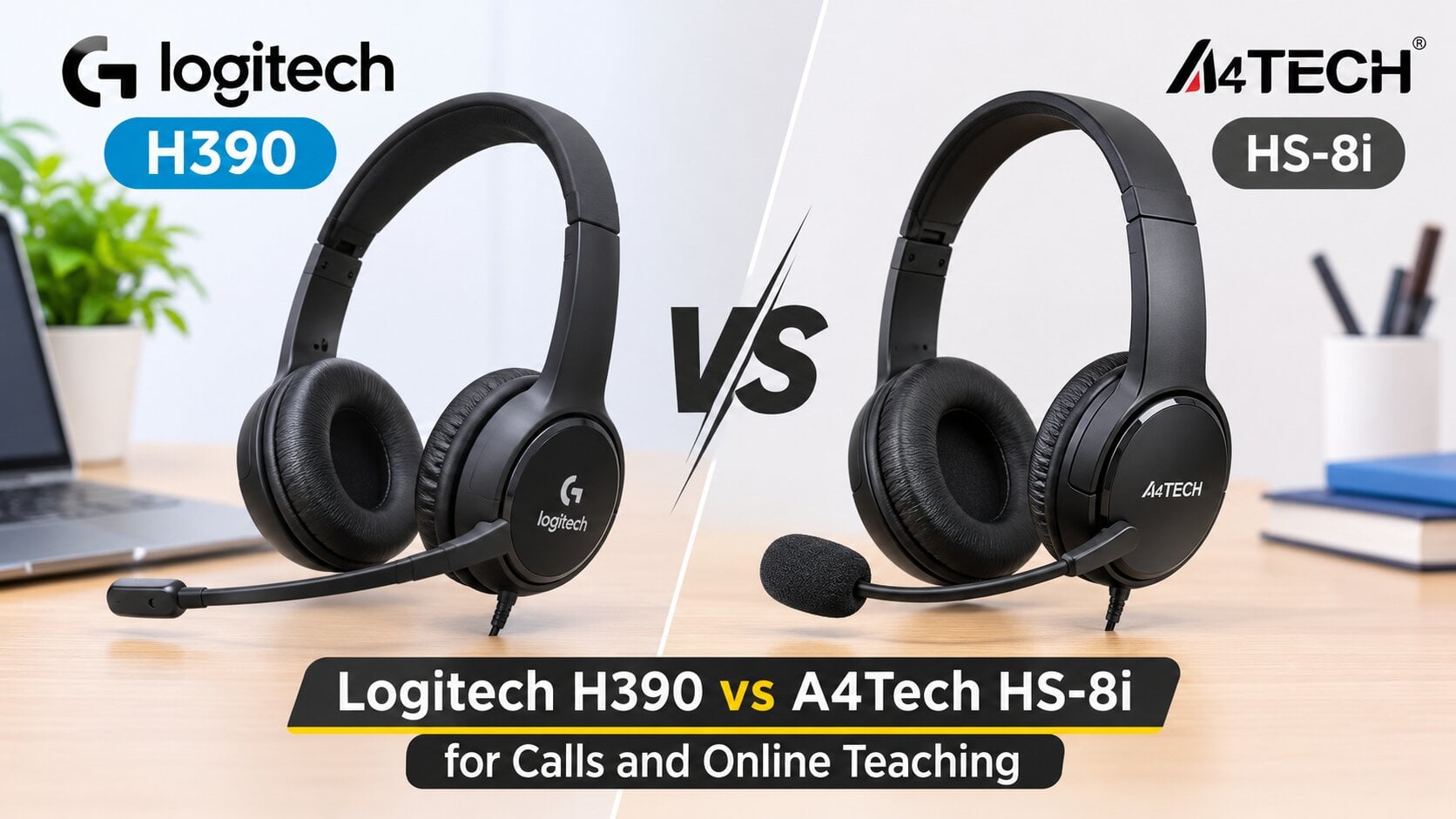
Five minutes into a Zoom class, a student says, “Sir, your voice is breaking.” Behind you, the ceiling fan is whirring and someone is calling for chai. Most of the time, the problem is the microphone, not the internet. The Logitech H390 and the A4Tech HS-8i are two of the most popular wired headsets for work calls and online teaching in Pakistan, and they solve this problem in different ways. One plugs in through USB, the other through a 3.5mm jack. One focuses its mic on your voice, the other picks up the whole room. Below, we compare both on the points that actually matter when you are on camera for hours. You can browse both, along with other options, in our headphones collection.
Choose the Logitech H390 for daily online teaching and long office calls on a laptop or PC. Choose the A4Tech HS-8i if you want a simple 3.5mm headset for occasional calls on a budget.
Logitech H390 vs A4Tech HS-8i: Specs Side by Side
| Feature | Logitech H390 | A4Tech HS-8i |
|---|---|---|
| Connection | USB-A, plug and play | 3.5mm analogue |
| Drivers | 30mm | 40mm |
| Microphone | Noise cancelling, rotating boom | Rotating boom, picks up sound from all directions |
| Controls | Inline volume and mute | Volume knob on the ear cup |
| Cable length | 1.9m | Check with our team |
| Ear cushions | Leatherette, swivel mounted | Soft leather |
Specs for both headsets are taken from the product listings on the Mobile Geeks website.
Microphone Quality: The Deciding Factor for Teachers
Your students and colleagues never hear your headphones. They hear your mic. So this is where the comparison matters most.
The Logitech H390 uses a noise cancelling boom mic. Logitech lists it as bi-directional, which means it focuses on sound right in front of it and reduces noise from the sides. In a real Pakistani home, that helps with fans, traffic outside the window and generators kicking on during load shedding. Your voice comes through clearer and steadier.
The A4Tech HS-8i uses an omnidirectional mic, according to its listing. It picks up sound from all directions. In a quiet room, this works fine and your voice sounds natural. In a busy household or a shared office, it will also pick up chatter and keyboard clicks, so your listeners hear more of the room.
For a teacher running a two hour class, that difference adds up. Fewer “can you repeat that” moments means less strain on your voice and a smoother lesson.
One tip applies to both headsets. Position the boom mic about two fingers away from the corner of your mouth, not directly in front of it. That keeps your voice clear while stopping breathing sounds and the popping noise from words with hard P and B sounds.
USB vs 3.5mm: Why the Connection Matters
The H390 connects through USB. It carries digital audio straight from the headset to your computer, skipping your laptop’s built-in sound card. That gives a consistent result across different laptops, and it usually works the moment you plug it in on Windows, Mac, or ChromeOS. The downside is that it is a computer headset. Phones are not a supported use, and USB-C-only laptops will need a USB-C to USB-A adapter.
The HS-8i uses a 3.5mm analogue connection, so sound quality depends partly on your device’s audio jack. It is more flexible on paper, but the plug type matters. Many modern laptops have a single combo jack for headphones and mic, while older desktop PCs have two separate ports. Before ordering, message our team with your device model so we can confirm the right fit or suggest a splitter if needed.
Comfort for Long Online Classes
Both headsets use an adjustable headband and padded cushions. The H390 has leatherette cushions on swivel mounts that angle to your ears, and Logitech lists the headset at 197g. That stays comfortable through back-to-back meetings. The HS-8i also uses soft leather pads and is described as lightweight, with larger 40mm drivers that give a fuller sound when you listen to recorded lessons or music between calls.
In Pakistan’s heat, leatherette and leather pads can get warm over a long session. A short break between classes helps, whichever headset you choose.
Controls You Will Actually Use
This is a small detail with a big impact. The H390 has an inline control on the cable with volume and a mute button. During a class, you can mute yourself instantly when a student is presenting, without hunting for the button in Zoom or Google Meet.
The HS-8i has a volume knob on the ear cup. Its listing does not mention a dedicated mute button, so you would mute through your calling app instead. That is workable, but slower when you need it most. If you teach live and switch between talking and listening often, a physical mute button quickly becomes the feature you rely on.
Which Headset Should You Buy?
Here is how we usually guide customers at our Johar Town store:
- Online teachers and tutors: the Logitech H390, for its focused mic and quick mute.
- Remote workers on daily calls: the Logitech H390, for consistent USB audio across laptops.
- Students and occasional callers: the A4Tech HS-8i, for basic calls and media at a lower cost.
- Users who also want music and videos: the A4Tech HS-8i, for its larger 40mm drivers.
- Phone users: neither is ideal, so ask us to suggest a compatible option.
Common Buying Mistakes
- Choosing by speaker size when your main use is talking, not listening.
- Buying a 3.5mm headset without checking whether your laptop has a combo jack or separate ports.
- Forgetting that a USB-A headset needs an adapter on USB-C only laptops.
- Using an omnidirectional mic in a noisy room and blaming the internet for poor call quality.
Key Takeaways
The Logitech H390 is the stronger pick for online teaching and work calls, thanks to its noise-cancelling mic, USB audio and inline mute. The A4Tech HS-8i suits lighter use, quiet rooms and anyone who wants fuller sound for the lowest cost. Check your device’s ports before ordering either one.
Still unsure? Message our team on WhatsApp with your laptop model, or compare more options in our headsets for calls and online classes with cash on delivery across Pakistan.
Frequently Asked Questions
Is the Logitech H390 good for online teaching?
Yes. Its noise-cancelling mic, inline mute and plug-and-play USB setup make it a reliable choice for long online classes.
Does the A4Tech HS-8i work with laptops?
Yes, through the 3.5mm jack. Check whether your laptop has one combo jack or separate mic and headphone ports.
Can I use the Logitech H390 with my phone?
It is designed for computers. Phone use is not officially supported, so message us before ordering for phone calls.
Which headset has better sound for music?
The A4Tech HS-8i has larger 40mm drivers, so it gives a fuller sound for music and videos between calls.
Is a USB headset better than a 3.5mm headset for calls?
Usually, yes. USB headsets skip your laptop’s sound card, which gives more consistent mic and audio quality across devices.